
Never lose a receipt again.
Take a photo of your receipt as soon as you get it and it's already in Xero.
30 days free · No credit card · $19.99/month after
TAX INVOICE
USB-C CHARGER 20W35.00
HDMI CABLE 2M22.00
GST INCLUDED5.18
TOTAL57.00
EFTPOS57.00
THANK YOU
TAX INVOICE
MILK FULL CREAM 3L4.65
WHOLEMEAL BREAD4.00
CHICKEN BREAST 1KG13.00
COFFEE BEANS 1KG28.00
DISHWASHER TABS22.00
PAPER TOWEL 2PK9.30
GST INCLUDED2.85
TOTAL80.95
EFTPOS80.95
THANK YOU
TAX INVOICE
19/06/2026
BRUSH TOILET ALL SET4.09
SPONGES MR CLEAN 4PK2.27
SUBTOTAL6.36
GST0.64
TOTAL7.00
EFTPOS7.00
THANK YOU
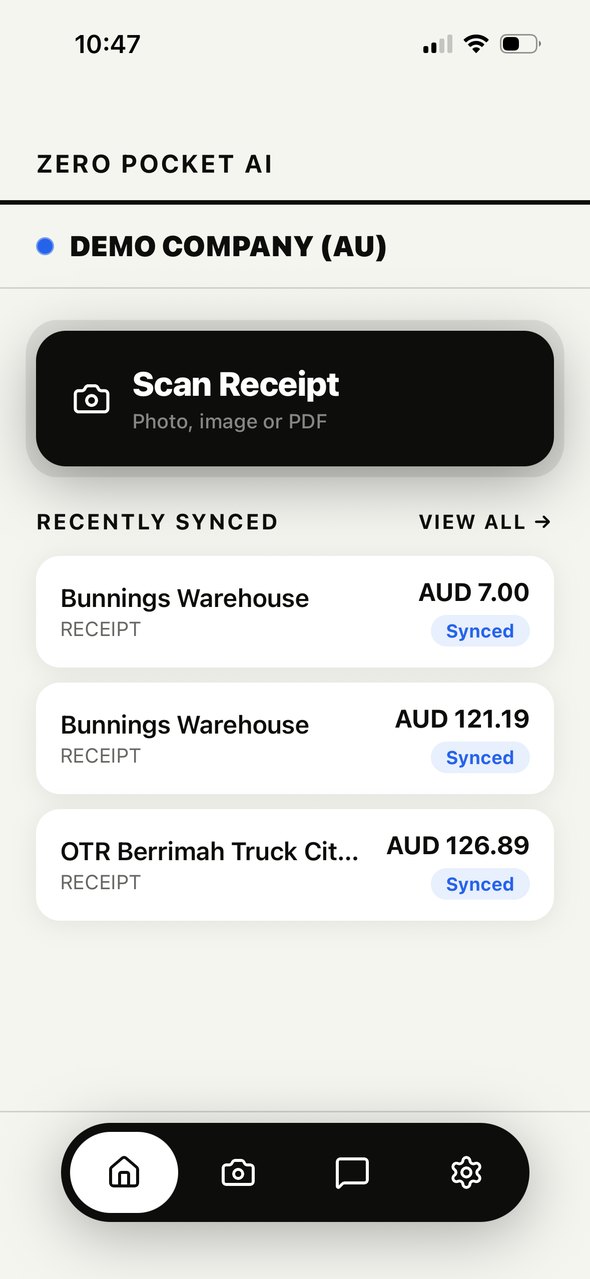
Tap Scan Receipt
How it works
Saved the moment you pay. In Xero seconds later.
Snap it at the counter
Take a photo the moment you pay. It's saved straight away, before it can fade, crumple or go missing.
Kept with the bill
The original photo is attached to the bill in Xero, so the receipt stays with the bill.
In Xero in seconds
AI reads the vendor, GST and every line item and creates the bill before you've left the shop.
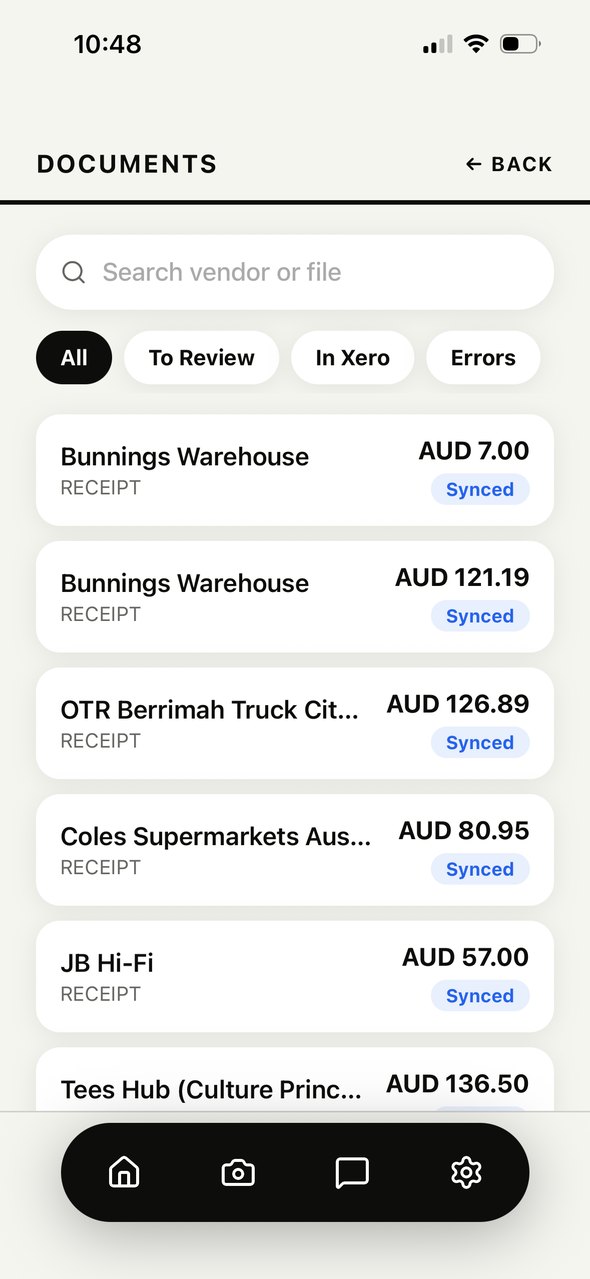
Documents
Every receipt.
Already in Xero.
Each receipt is read, coded to an expense account and sent to the right Xero organisation. See what's done and what still needs a look.
The app
One tap from receipt to bill in Xero.
Built for the receipt in your pocket, not another dashboard to log in to.
- [01]Scan Receipt
Take a photo, pick one from your camera roll, or upload a PDF.
- [02]Active organisation
The blue dot always shows which Xero organisation you're in. Switch in a tap.
- [03]Recently synced
See what's already gone into Xero at a glance.
- [04]Email forwarding
Each organisation gets its own address. Forward a receipt and it's read for you.
The AI
It reads the receipt so you don't have to.
Vendor, date, total, GST, reference and every line item, ready for you to check before it goes to Xero.
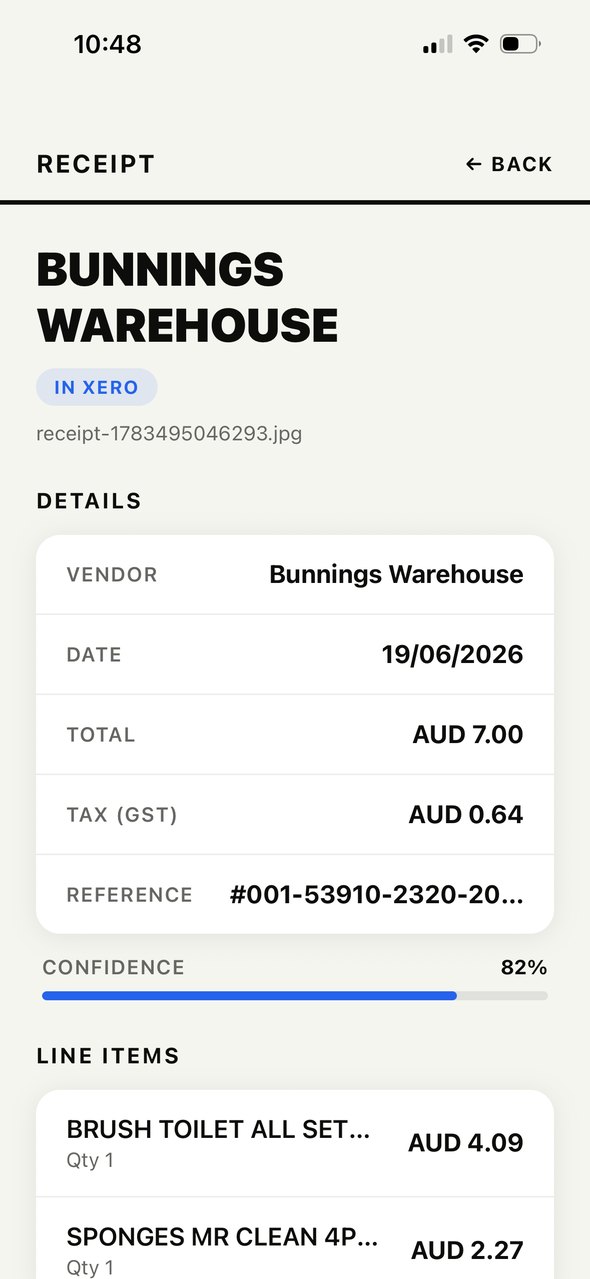
- [05]Extracted details
Every field filled in. Tap Edit to change anything.
- [06]Confidence
Shows how sure the AI is, so you know what to double-check.
- [07]Account suggestions
Suggests the expense account from your own Xero chart of accounts.
- [08]Duplicate check
Flags a receipt that looks like one you've already sent.
Pricing
One subscription. Everything included.
Try every feature free for 30 days. No credit card to start.
- AI receipt and invoice reading
- Bills sent to Xero, paid or to pay
- AI expense-account suggestions
- Every Xero organisation you manage
- Email forwarding address per organisation
- AI assistant for your books
- Staff access with approvals
- iPhone and iPad
Do I need a Xero account?
Yes. Zero Pocket AI creates bills in your Xero organisation, so you need an active Xero subscription.
How does the free trial work?
Download the app and create an account. You get 30 days with every feature and no credit card. After that it's $19.99 a month.
What can I upload?
Photos from your camera or camera roll (JPG, PNG) and PDFs up to 10MB. You can also forward receipts by email.
What if the AI reads something wrong?
Every receipt waits for you to check it. Tap Edit to fix any field before you send it to Xero.
Can my staff use it?
Yes. Invite them from Settings and choose which organisations each person can access. Staff submit receipts and the owner sends them to Xero.
Where is my data kept?
Read our privacy policy for what we collect, who processes it and how to delete your account.
Get started
Stop typing receipts into Xero.
Download on the App Store30 days free · No credit card · $19.99/month after